
Choose what knowledge search can read
Your goal
Explicitly choose the notes eligible for knowledge retrieval.
Before you start
Connect a local folder first. Practise in the demo vault if you prefer.
Steps
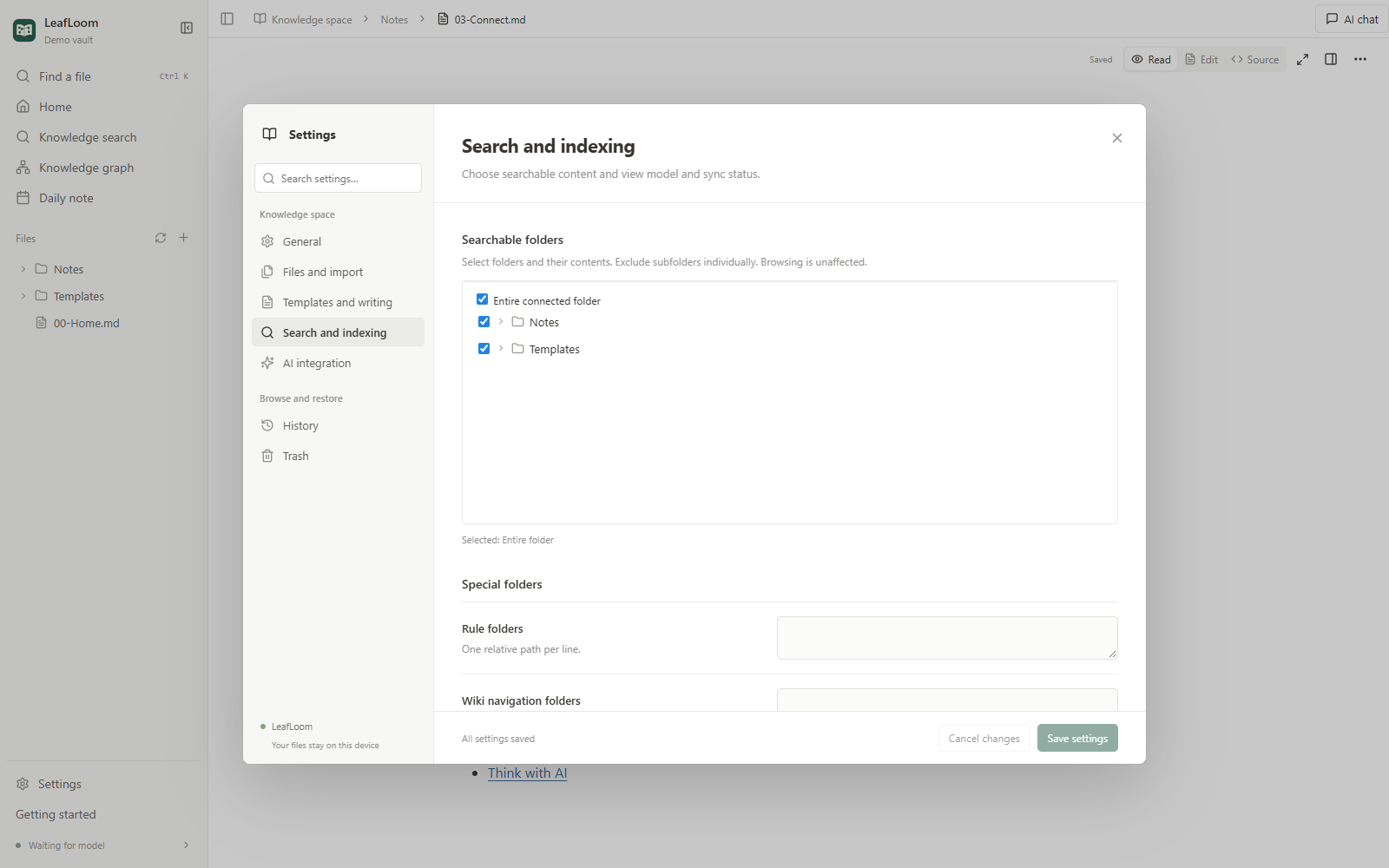
You can browse the entire connected folder. Knowledge search only uses the folders you explicitly select. Choose the whole folder or specific subfolders; exclude a child folder independently. Nothing is selected automatically. Browse for now leaves the knowledge corpus empty.
Only .md and .txt are indexed. Images, videos and other attachments remain browsable but are not transcribed. Hidden/application folders, .ragignore exclusions and opted-out notes remain excluded. Special rule, topic-navigation and estimation folders are advanced settings; ordinary notes do not need them.
What to expect
Browsing covers the connected folder; retrieval uses selected content only.
If it does not work
HTML, attachments and excluded notes are not semantic-index content. A visible folder is not necessarily searchable.