01 /
Make room for your next idea.
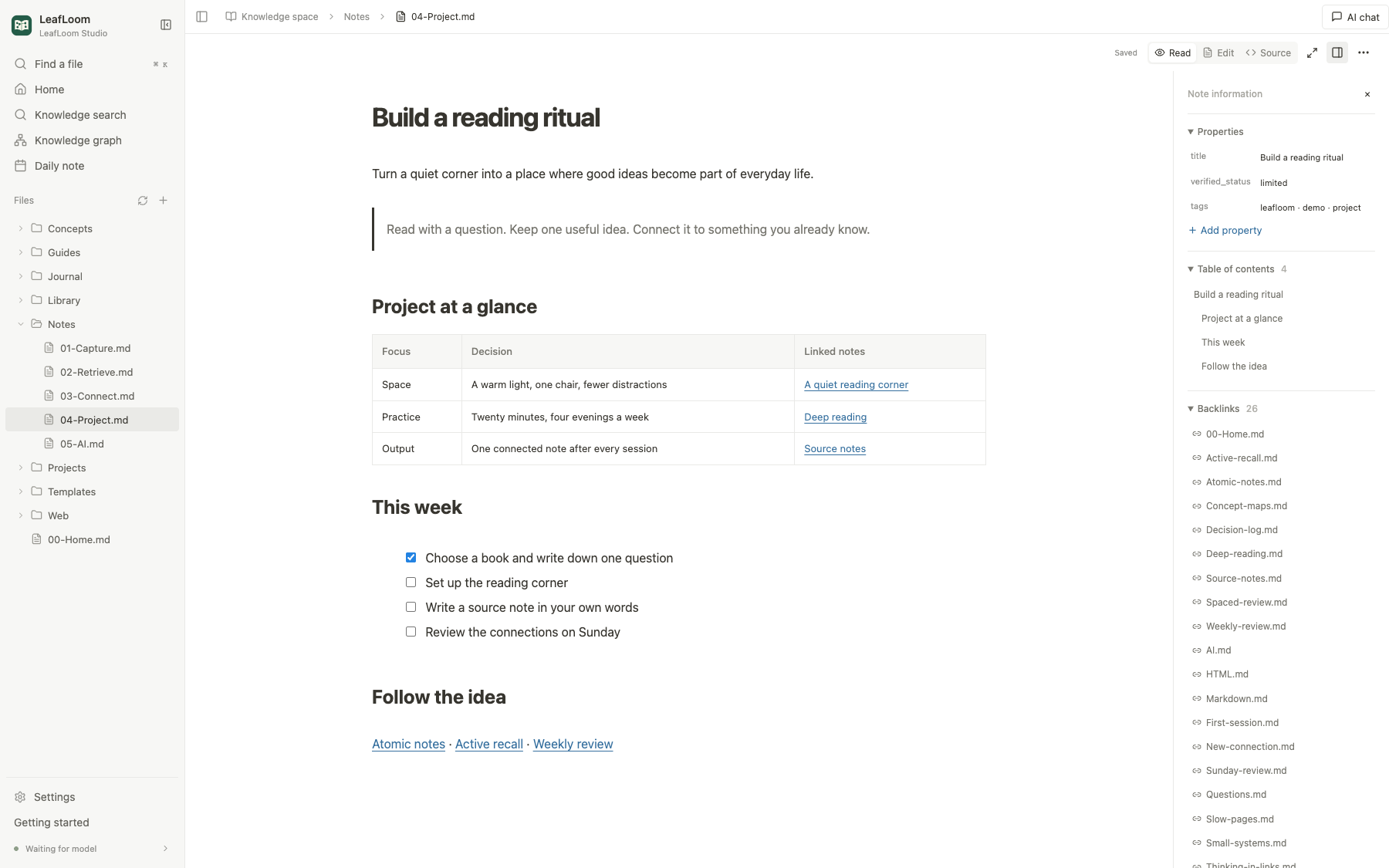
Write on the formatted Markdown page. Add tables and tasks with slash commands, paste images or drop attachments. Switch to source with shared undo history.
 LeafLoom®
OPEN SOURCE · LOCAL FIRST · YOURS TO KEEP
Turn notes, project docs and saved webpages into a connected knowledge base and personal wiki. Keep your files local. Bring AI in when you want it.
Free to use · No signup · English / 中文 / 日本語 v0.1.2
The real app, with a fictional demo library. Screenshots follow your language.
CAPTURE. CONNECT. REDISCOVER.
A quiet place to think, and a clear path back to the ideas that matter.
Write on the formatted Markdown page. Add tables and tasks with slash commands, paste images or drop attachments. Switch to source with shared undo history.
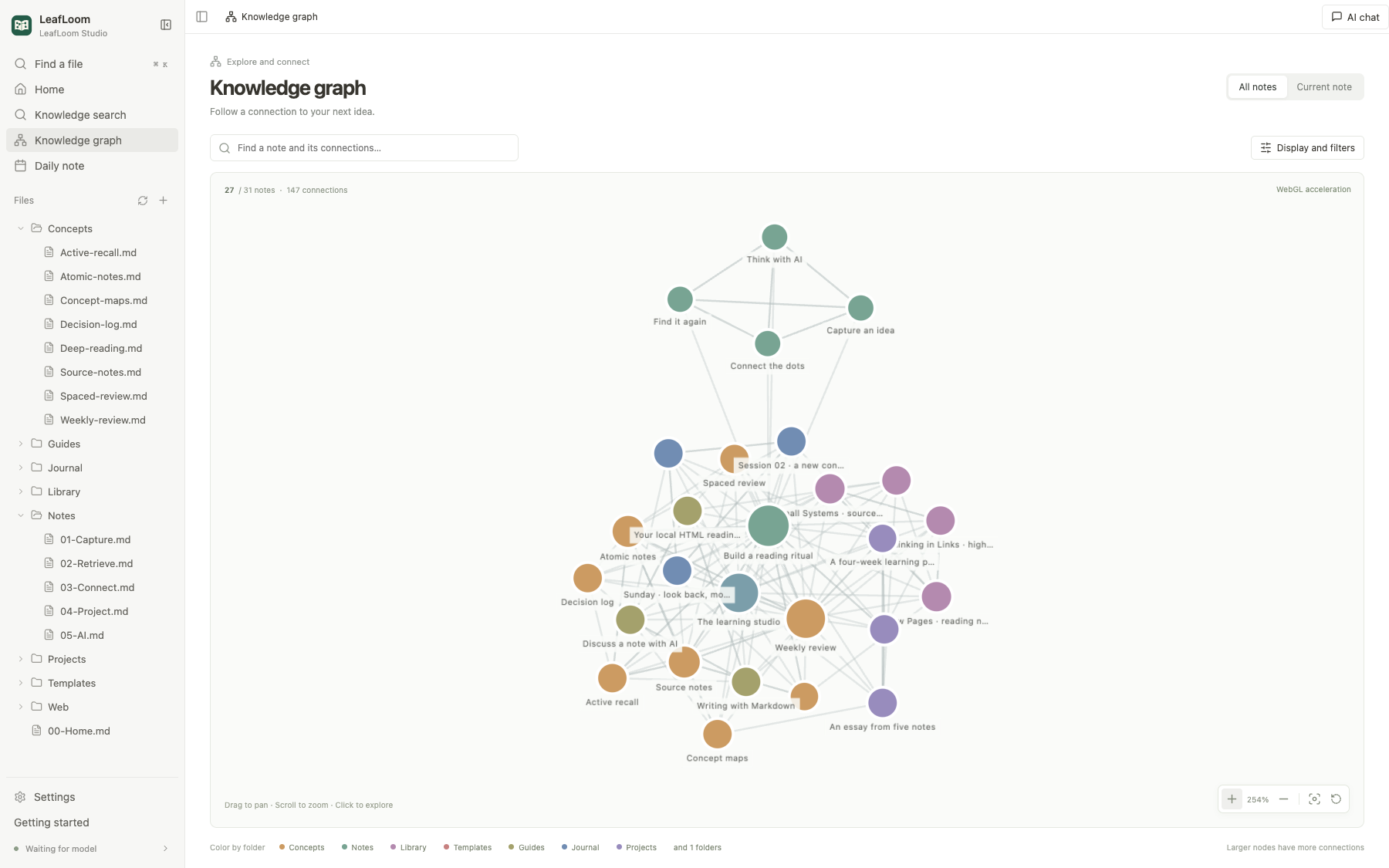
Link notes in both directions and explore them in a knowledge graph. Follow a concept to a reading note, then back to the project it inspired.
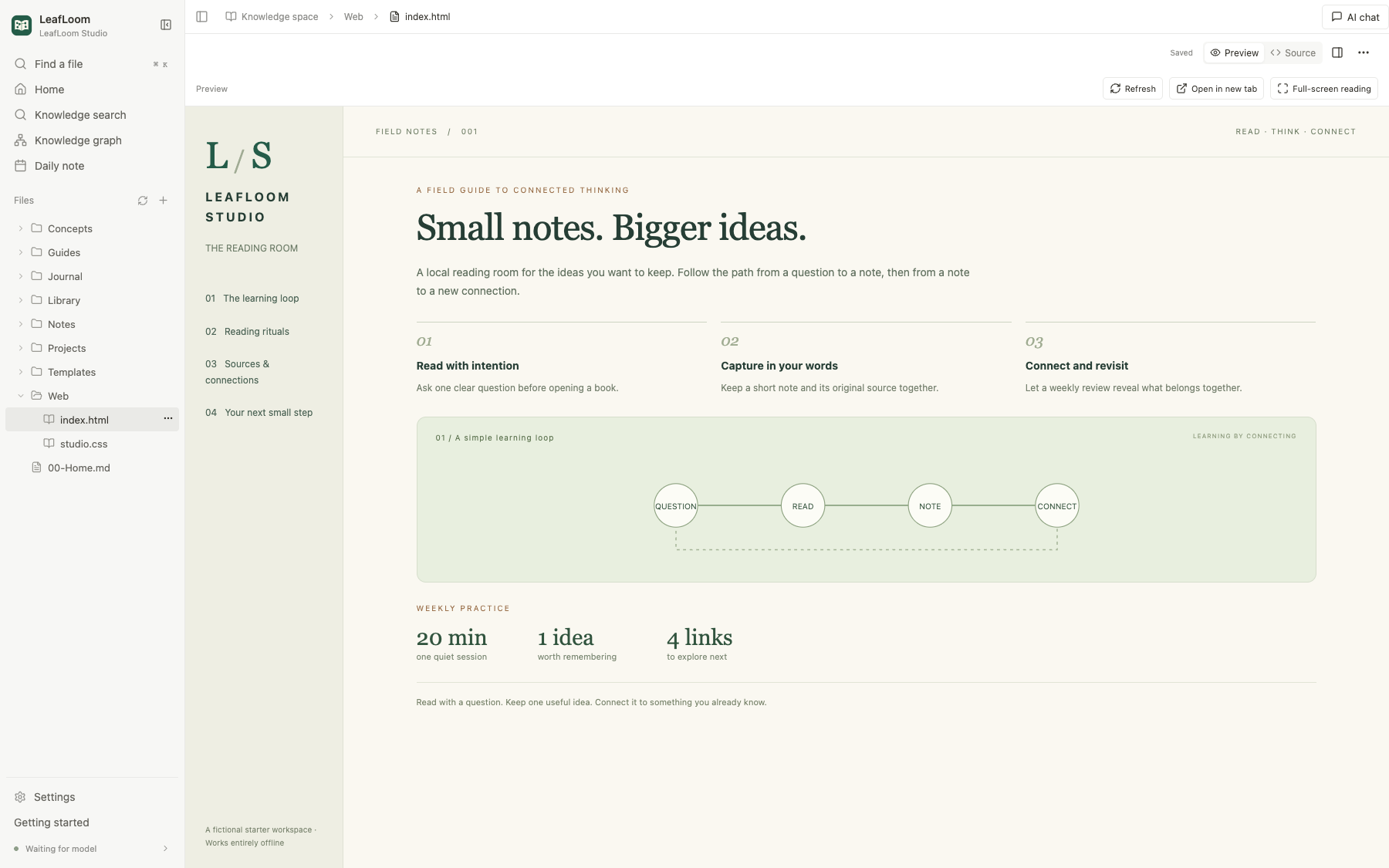
Open local HTML projects alongside your notes, with their styles, images and supported scripts. Keep your reading material close to your own thinking.
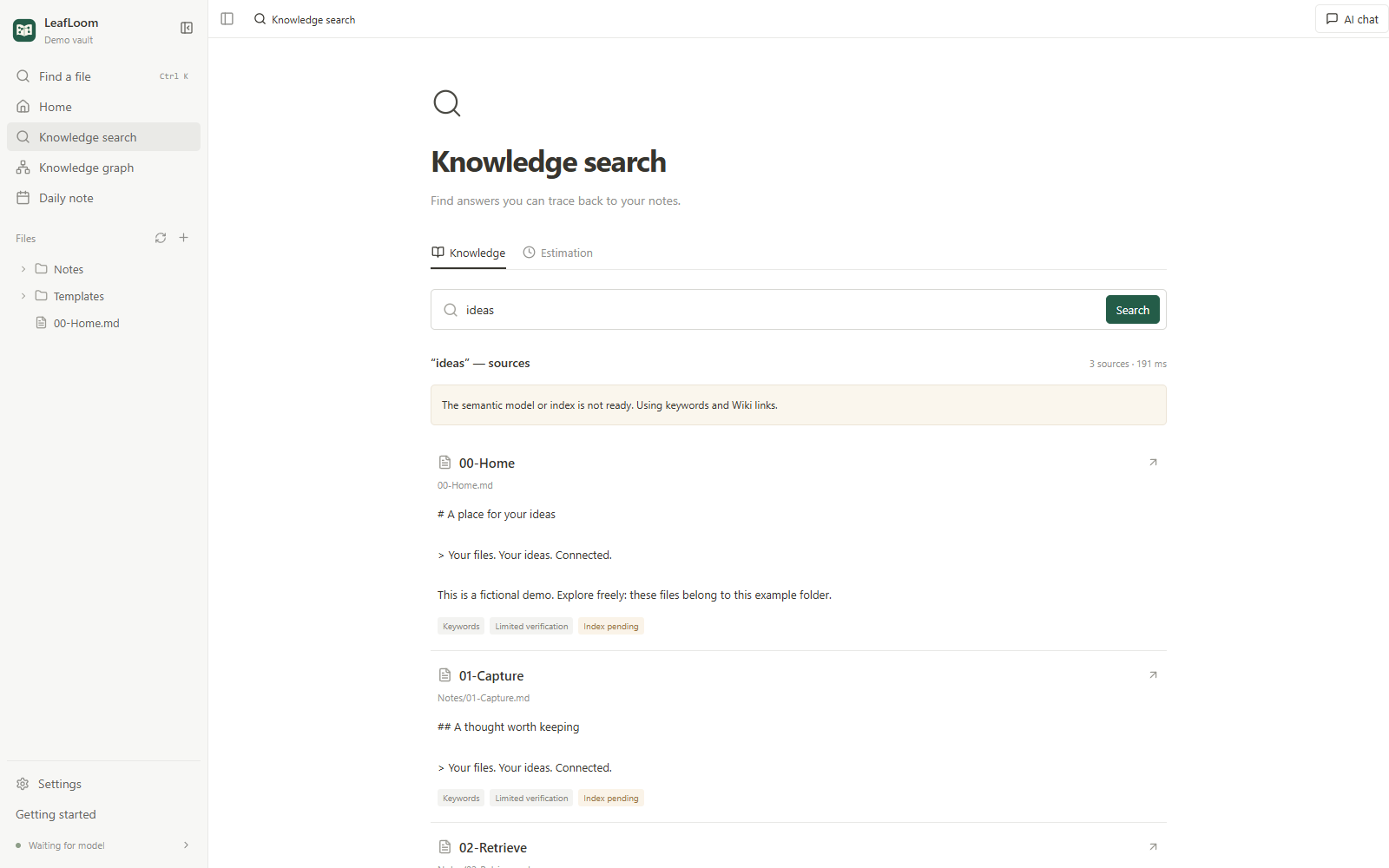
Start with keyword search and Wiki navigation. Prepare the optional local semantic-search model when you need it. Follow results back to their original notes.
LOCAL BY DESIGN. CONNECTED BY CHOICE.
Notes and indexes live on your computer. Read, edit, explore and search locally, without a hosted knowledge base.
No folders are indexed by default. Browse first, then explicitly choose what to search. Browsing and retrieval have separate scopes.
AI Chat sends enabled context to your chosen provider; ChatGPT receives requested tool results. External AI connections are optional.
WHEN YOU WANT AI, YOUR KNOWLEDGE IS READY
Chat beside your notes, follow citations and review suggestions. Connect your assistant through MCP and the bundled Skill, or use the built-in Tunnel to bring your knowledge into ChatGPT.
Explore AI connections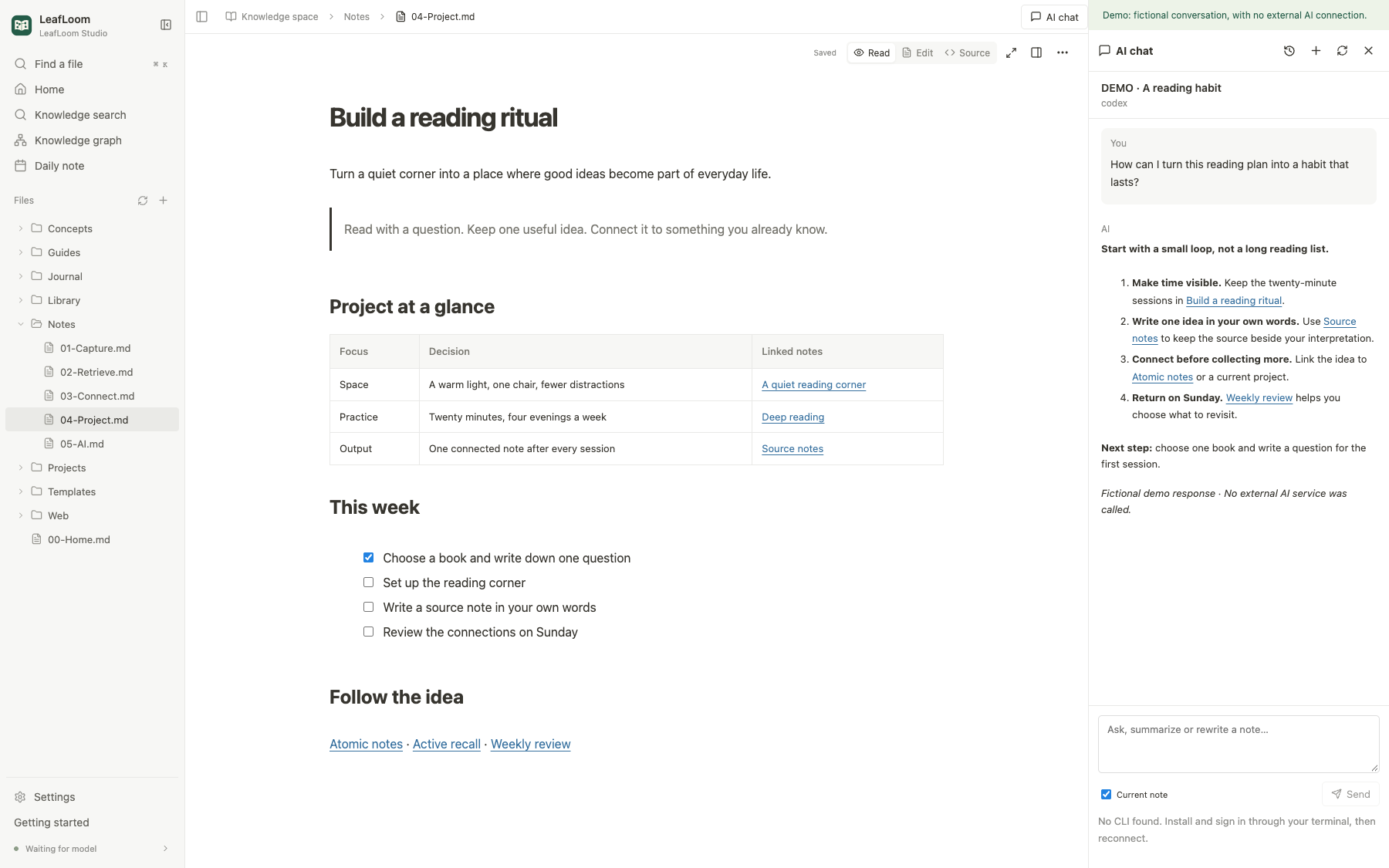
START WITH A FOLDER OF YOUR OWN
Install the desktop app. Try the demo or open your own folder. No preinstalled Python, Node or Ollama needed.
Windows 10 / 11 · x64
Download for WindowsmacOS 14+ · Apple Silicon
Download for MacCurrent installers are unsigned; the Mac app is not notarized. See the installation guide for system prompts. No Linux, Intel Mac or Windows ARM installer is provided.
Yes. Reading, editing, the graph and keyword search work without a model, and work offline after dependencies are prepared. Prepare BGE-M3 only for local semantic search. External AI and ChatGPT need their own accounts, permissions and network access.